
Copy an error message or address from a Mac screenshot
Turn a line you can see into words you can paste.
On this page
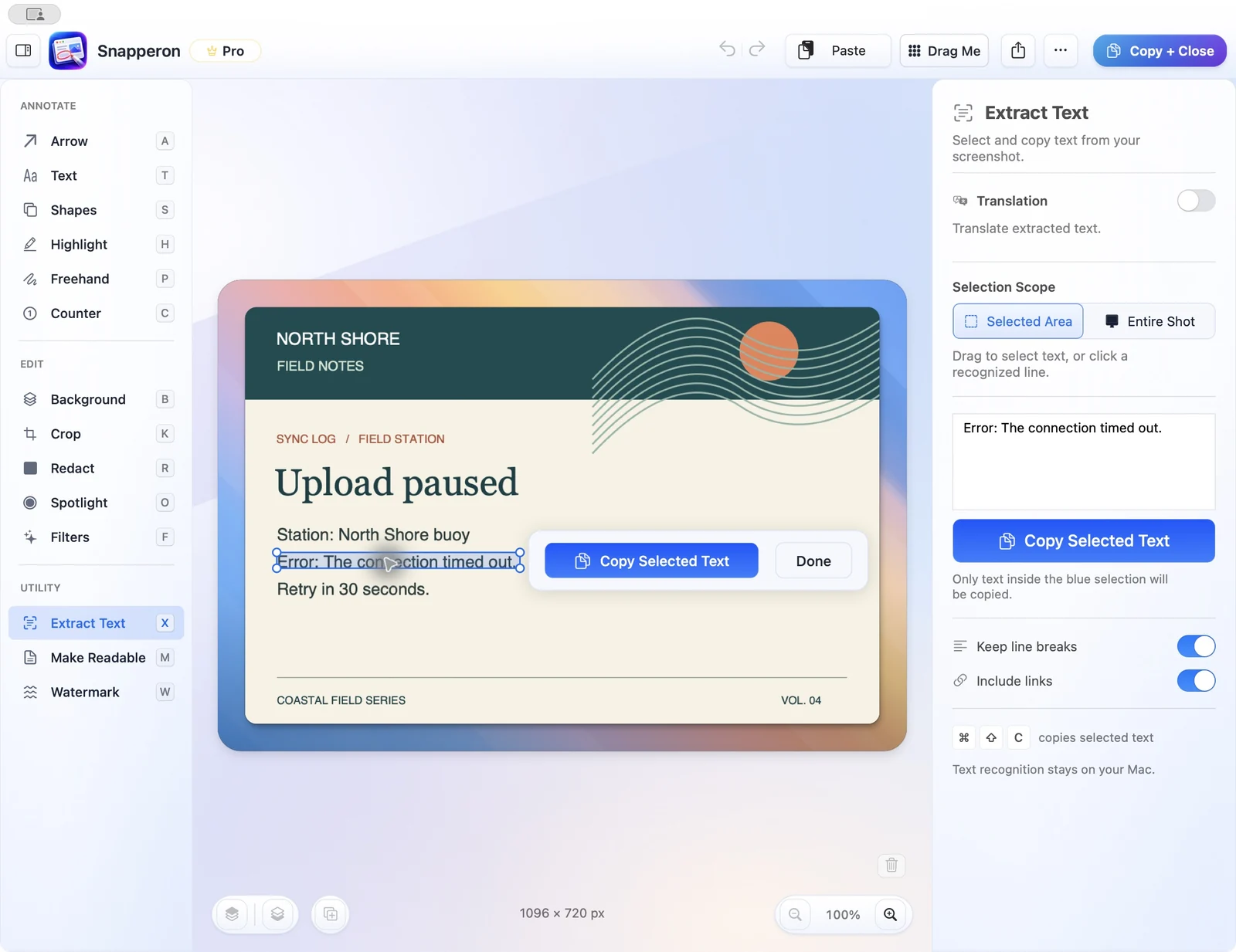 View full size
Open your screenshot
Open the screenshot and choose Extract Text.
Select the text
Select one line, a region, or Entire Shot.
Check the preview
Check characters such as the zero in E104 and enable Keep line breaks for addresses.
Copy into your document
Copy the plain text into the ticket, email, or search field.
Try the same workflow in the native Mac app.
Start with a screenshot, a local image, a PDF page, or copied text. No Snapperon account required.
Send the download link to your Mac.
Free · No account needed · macOS 14+ · Apple Silicon